Assignment Brief
The assignment was to design the user interface for a banking application. The client is a fictional challenger brand, a new competitor to the traditional banking institutions. They want an intuitive interface that will help them stand out from the crowd.
“Your design will need to work responsively across screen types. Note: your solution is not required to be interactive, animated or clickable but rather you must think about how your design will respond to the device the user is viewing it from.”

Challenges
My first challenge was designing an interface that could support both casual users and those seeking more in-depth functionality without overwhelming either. This raised key questions around prioritization—what information was truly essential, whether my iconography communicated clearly without added context, and how the layout would scale without becoming cluttered as features expanded.
I prioritized core actions such as checking balances and making payments, while gradually revealing more advanced options. To maintain cohesion, I relied on consistent components, intentional spacing, and a balanced color palette to present information clearly and reduce visual noise.
Accounts
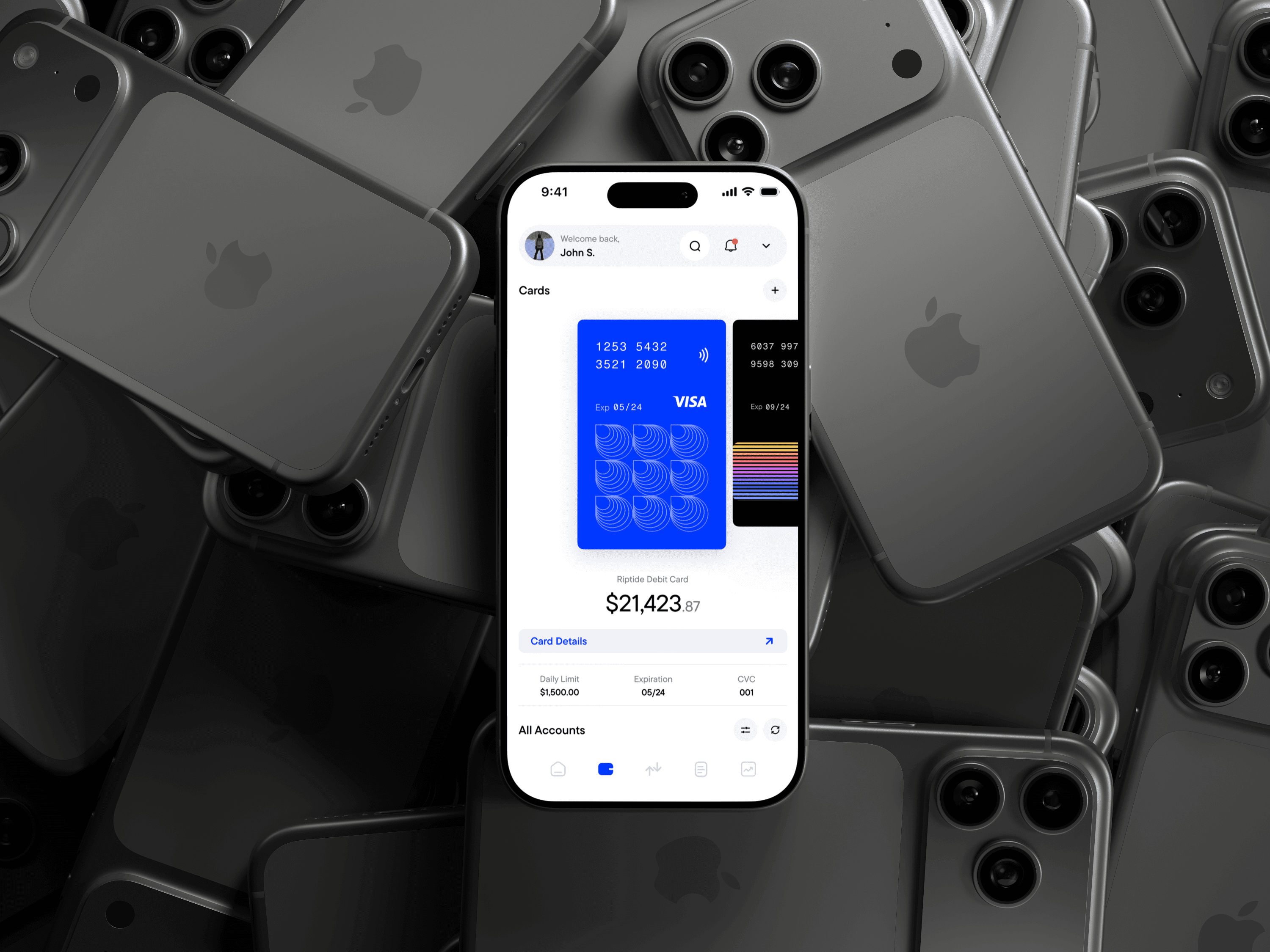
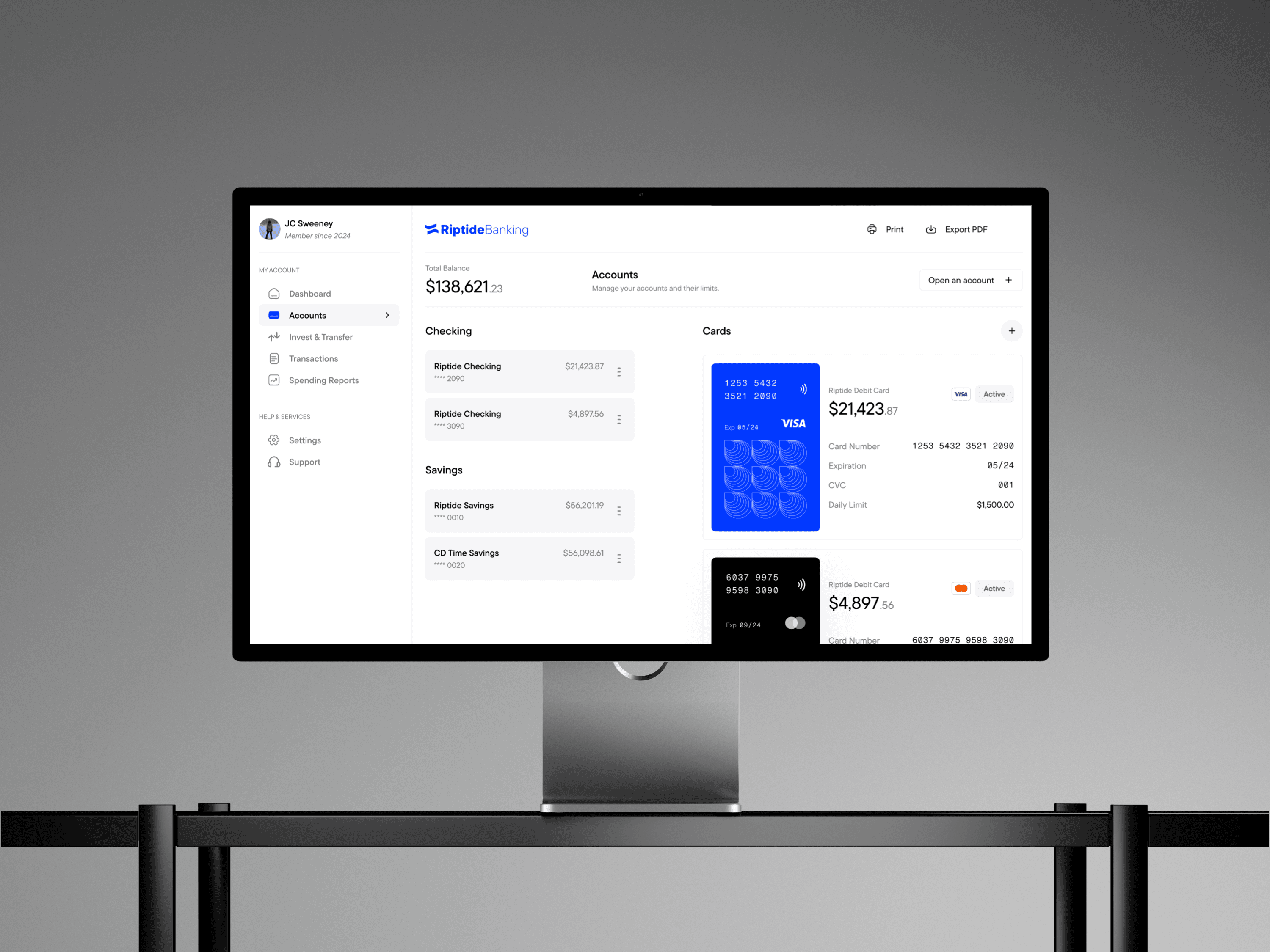
The accounts screen presents users with clear, essential information at a glance. Each account or card displays its total balance, followed by key details specific to that account. Users can easily add new cards or accounts, as well as view all existing accounts in one place. Every account entry includes the account type or name, partial account number, and current balance to ensure clarity and prevent confusion.
Spendings
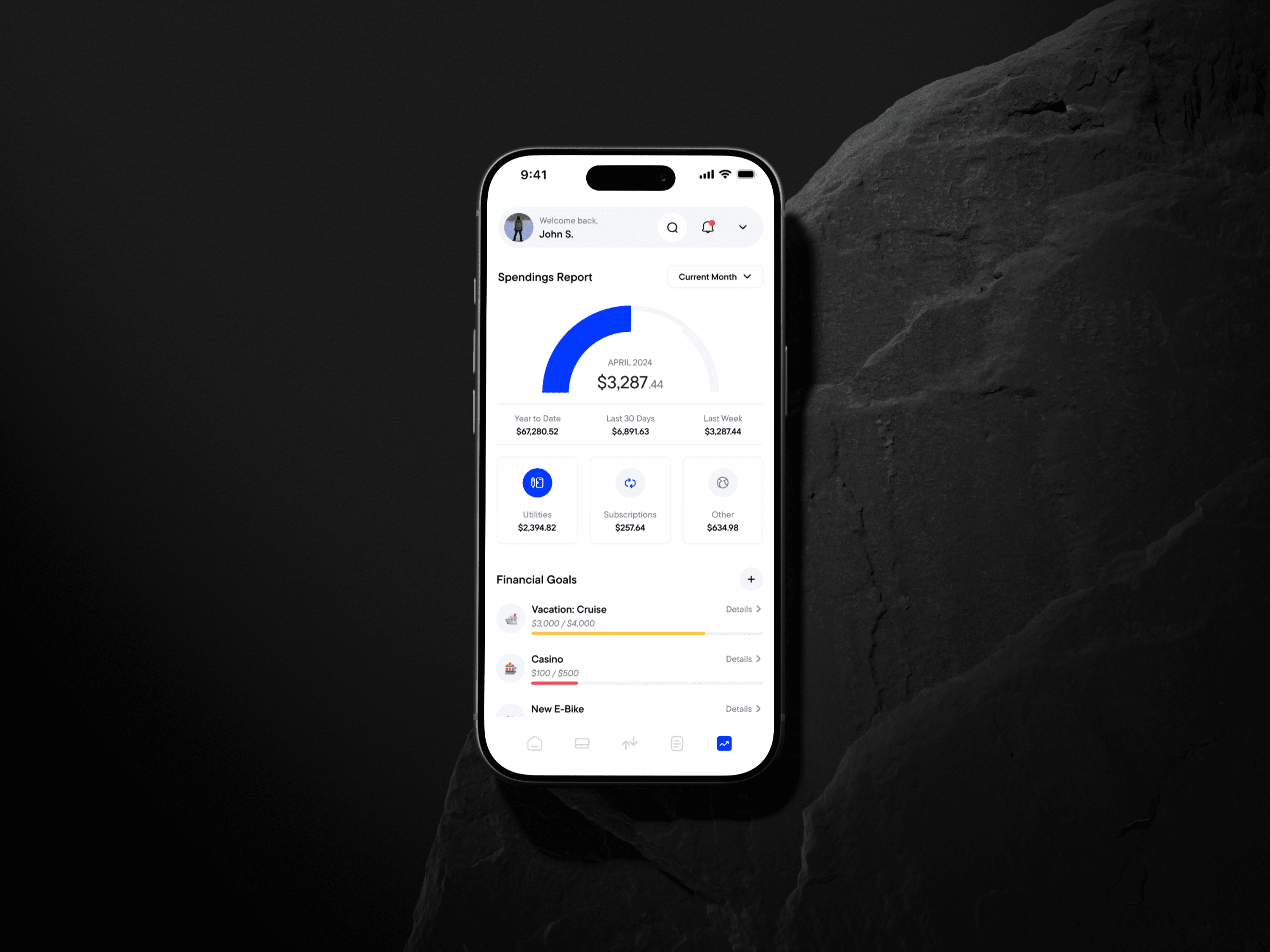
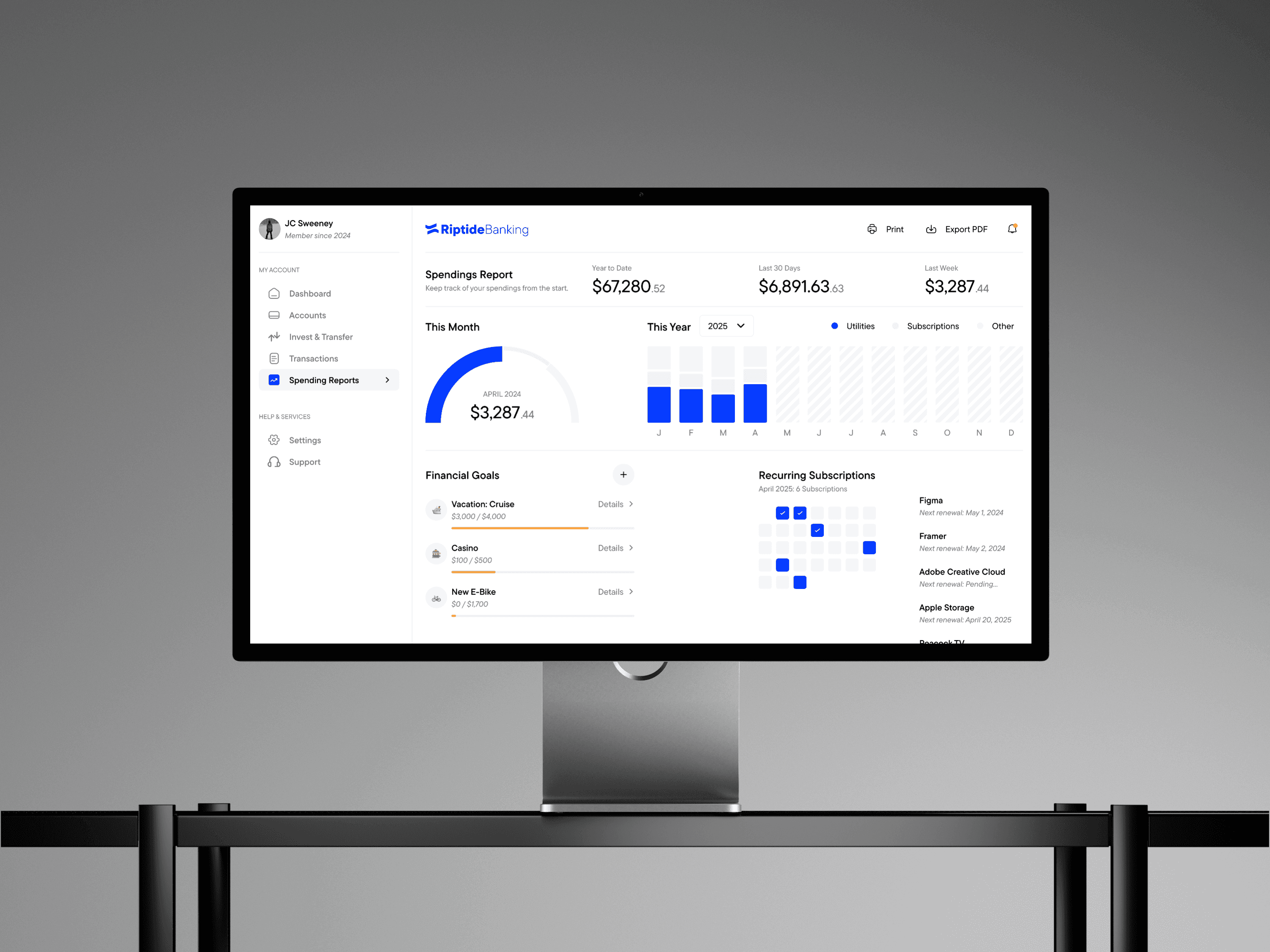
The spending section organizes transactions into clear categories—such as utilities, subscriptions, and more—providing users with meaningful insights into how their money is being used. By showing exact dollar amounts rather than percentages, users can quickly understand their spending habits without having to calculate anything themselves. Each category is color-coded and visually sized according to the amount spent, improving readability and helping users instantly identify where most of their money is going. This design prioritizes clarity, simplicity, and effortless scanning so users can make smarter financial decisions with ease.
Transactions
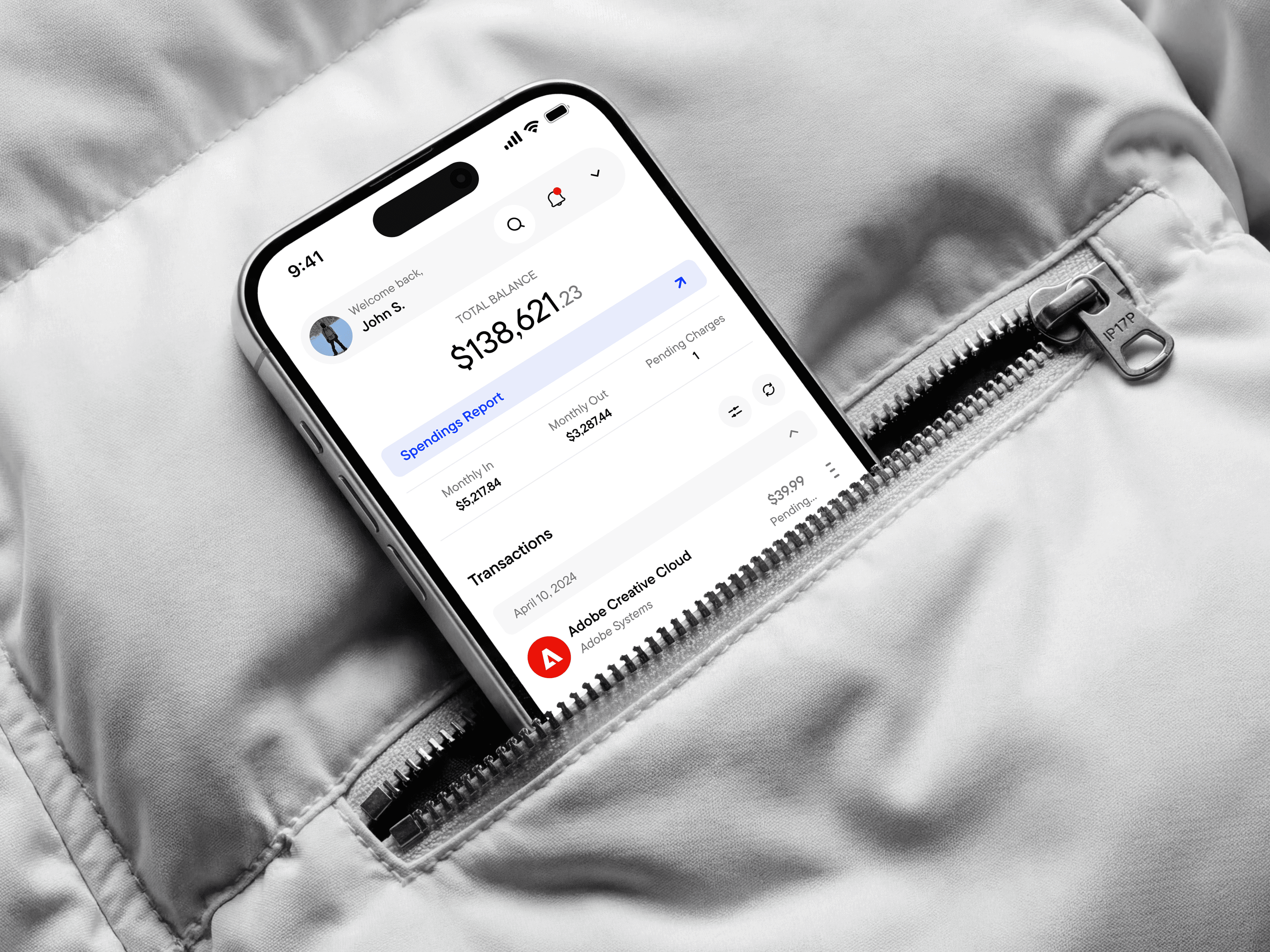
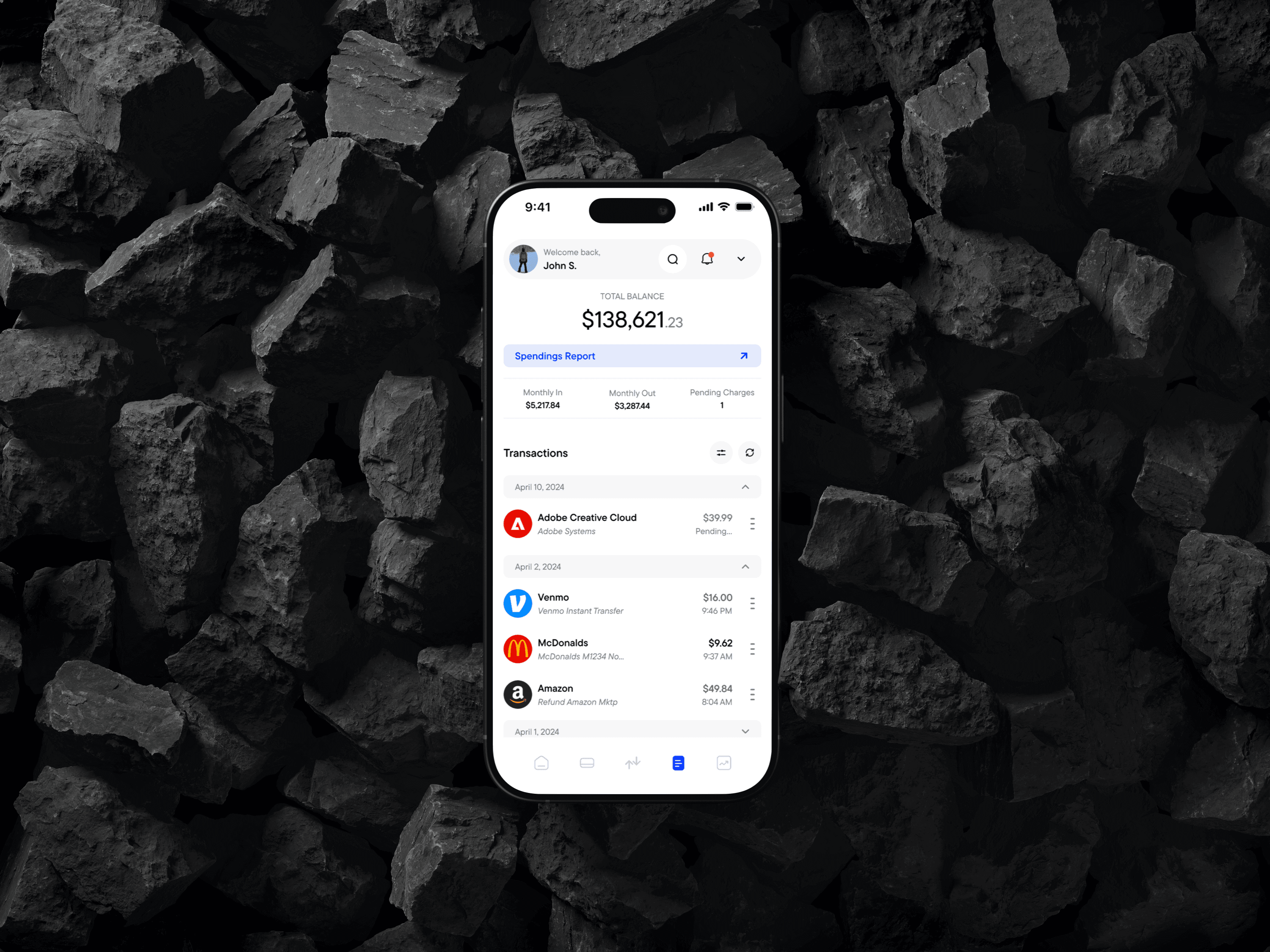
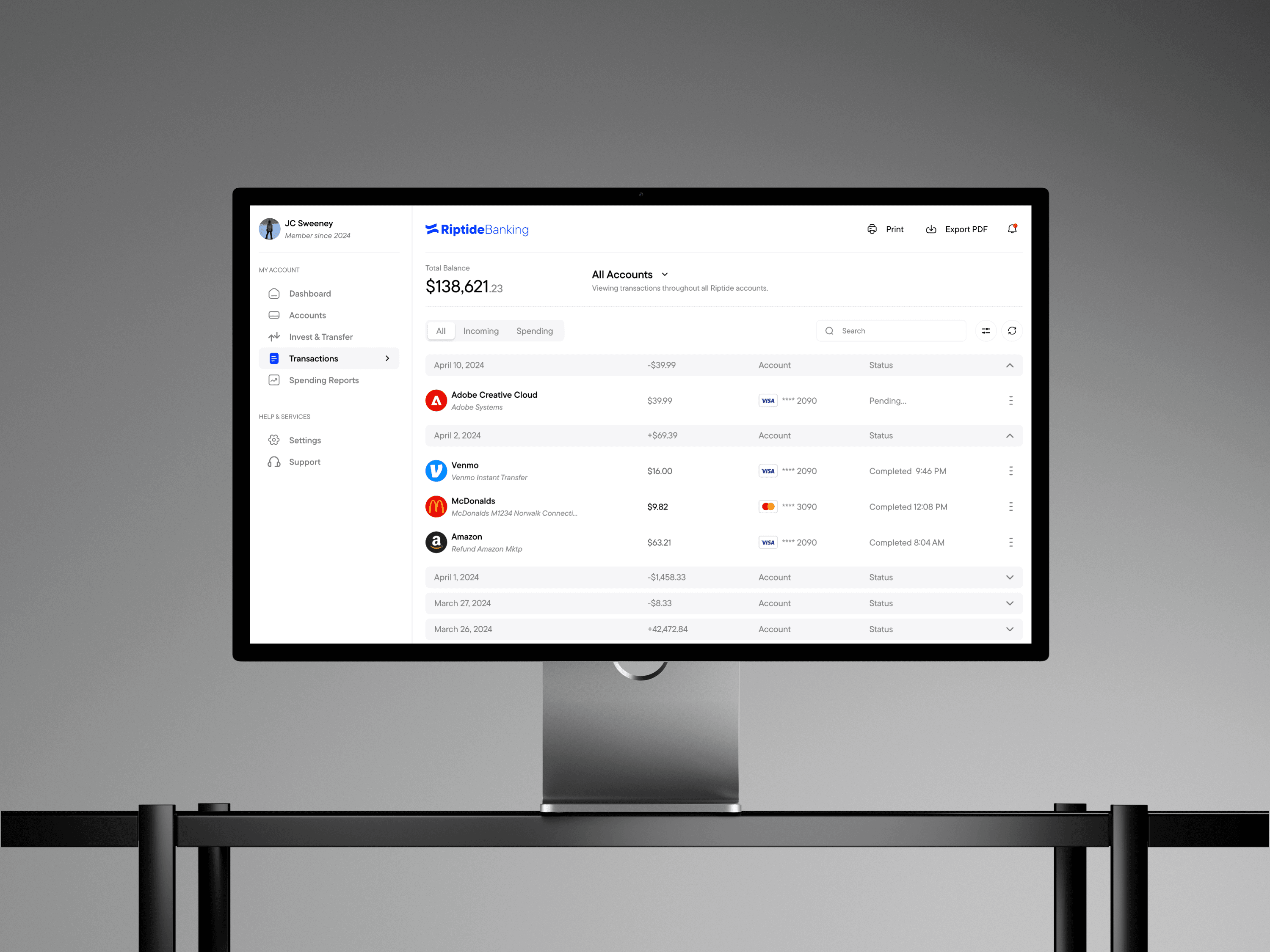
The user’s total balance is displayed at the top of the screen, followed by a quick-access button that opens their spending reports. Just below, a simple breakdown highlights monthly income, expenses, and pending charges. This feature gives users essential insights directly on the transactions page, without requiring them to navigate elsewhere. Beneath this summary, users can filter transactions by type or collapse entries by date to reduce clutter and make it easier to locate specific transactions.
Reflection
If I were to approach this assignment again, I would broaden my range of references. I focused heavily on finance-specific themes, but exploring more general products and interfaces could have inspired alternative approaches to layout and functionality.
I would also approach my screen design iterations differently. Initially, I treated each iteration as if it were the final design, spending too much time refining details before ultimately discarding them. Later, I shifted to a more gradual approach, building toward the final design through smaller, more intentional iterations.